


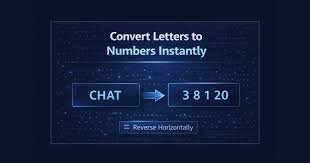
If you are searching for letterstonumbersconverter com, the basic answer is simple: it is a browser-based utility for turning letters and text into numerical representations. The most familiar method uses alphabet positions—A=1, B=2, C=3, through Z=26—while other conversion modes can represent characters through systems such as A0Z25, ASCII, hexadecimal, or binary.
That distinction matters. “Letters to numbers” is not one universal technical operation. The correct result depends on the mapping system being used.
What Is letterstonumbersconverter com?
letterstonumbersconverter com refers to a tool designed around a straightforward text-to-number task: taking alphabetic characters and producing numerical values according to a defined conversion rule.
The site’s published information describes its standard conversion as A1Z26, where each letter receives its position in the English alphabet. It also describes additional formats, including A0Z25 and ASCII-based representations.
For a simple word, the principle is easy to verify manually:
| Letter | Alphabet Position | A1Z26 |
|---|---|---|
| A | 1 | 1 |
| B | 2 | 2 |
| C | 3 | 3 |
| D | 4 | 4 |
| E | 5 | 5 |
| F | 6 | 6 |
| G | 7 | 7 |
| H | 8 | 8 |
| I | 9 | 9 |
| J | 10 | 10 |
| K | 11 | 11 |
| L | 12 | 12 |
| M | 13 | 13 |
| N | 14 | 14 |
| O | 15 | 15 |
| P | 16 | 16 |
| Q | 17 | 17 |
| R | 18 | 18 |
| S | 19 | 19 |
| T | 20 | 20 |
| U | 21 | 21 |
| V | 22 | 22 |
| W | 23 | 23 |
| X | 24 | 24 |
| Y | 25 | 25 |
| Z | 26 | 26 |
The key is knowing which system produced the numbers before interpreting them.
How letterstonumbersconverter com Works
The standard A1Z26 approach treats the alphabet as an indexed sequence.
A is the first character, so its value is 1. B is second, giving it a value of 2, and this continues until Z receives 26.
Consider the word HELLO:
- H = 8
- E = 5
- L = 12
- L = 12
- O = 15
The result is:
8-5-12-12-15
This is not encryption in the modern security sense. It is a deterministic substitution or representation system. Anyone who knows the mapping can reproduce the result.
Why the Mapping Rule Matters
Suppose someone enters the letter A into two different tools.
With A1Z26:
A → 1
With A0Z25:
A → 0
Both outputs can be correct because they follow different conventions.
That is why a reliable conversion workflow starts by identifying the method rather than assuming every letter-to-number calculator follows the same formula.
letterstonumbersconverter com and A1Z26
A1Z26 is probably the easiest system to understand because it directly mirrors alphabet order.
The name itself describes the range:
- A1 means A starts at 1.
- Z26 means Z ends at 26.
Using this system, CAT becomes:
C = 3, A = 1, T = 20
Therefore:
CAT → 3-1-20
Likewise:
SEO → 19-5-15
And:
NUMBER → 14-21-13-2-5-18
The process is transparent enough that users can verify short results without specialized software.
A1Z26 vs. A0Z25
One of the most important distinctions for anyone using a letter-number converter is whether counting begins at one or zero.
| Feature | A1Z26 | A0Z25 |
|---|---|---|
| First value | A = 1 | A = 0 |
| Last value | Z = 26 | Z = 25 |
| Counting style | One-based | Zero-based |
| Common context | Puzzles, alphabet codes | Programming and indexing |
| HELLO | 8-5-12-12-15 | 7-4-11-11-14 |
| Easy manual checking | Yes | Yes |
| Main difference | Starts at 1 | Starts at 0 |
This is a small mathematical change with a large practical effect.
If a worksheet asks for A=1, an A0Z25 result is the wrong format for that particular task even though the calculation itself follows a valid rule.
ASCII Is Different From Alphabet Position
Another common source of confusion is ASCII.
ASCII does not simply assign numbers according to alphabet position. It represents characters using standardized numeric codes.
For example:
- A = 65
- B = 66
- a = 97
- b = 98
- 0 = 48
- Space = 32
That means the same character can have a very different value depending on the representation.
| Character | A1Z26 | ASCII Decimal | Hex ASCII | 8-bit Binary |
|---|---|---|---|---|
| A | 1 | 65 | 41 | 01000001 |
| B | 2 | 66 | 42 | 01000010 |
| a | 1 | 97 | 61 | 01100001 |
| 0 | — | 48 | 30 | 00110000 |
| Space | — | 32 | 20 | 00100000 |
The site’s published material distinguishes these conversion types and explains that ASCII is case-sensitive, unlike its basic alphabet-position conversion.
This distinction is especially useful for students and developers. A1Z26 answers “where is this letter in the alphabet?” while ASCII answers “what character code represents this character?”
How to Use letterstonumbersconverter com
For a normal alphabet-to-number conversion, the workflow is straightforward.
1. Enter the Text
Type a letter, word, phrase, or sentence into the input field.
For example:
HELLO WORLD
2. Select the Conversion Method
Choose the system appropriate to your task.
For ordinary alphabet-position conversion, use A1Z26.
For zero-based indexing, use A0Z25 where available.
For computer character values, use ASCII.
3. Generate the Result
The converter processes the characters and displays their corresponding numerical representation. The site’s documentation describes its conversion as browser-based and available without registration.
4. Check the Output
Do not blindly copy a result when accuracy matters.
Check the first few characters manually. If the input is HELLO and the system is A1Z26, the beginning should read:
8-5-12-12-15
A quick verification catches most misunderstandings about the selected method.
Converting Words Manually
You do not need a tool for a short word.
Take APPLE.
- A = 1
- P = 16
- P = 16
- L = 12
- E = 5
Therefore:
APPLE → 1-16-16-12-5
For COMPUTER:
- C = 3
- O = 15
- M = 13
- P = 16
- U = 21
- T = 20
- E = 5
- R = 18
Result:
3-15-13-16-21-20-5-18
Manual conversion is useful for learning. A converter becomes more valuable when the input is long enough for repeated alphabet counting to become tedious.
What Happens to Spaces and Punctuation?
Character handling depends on the conversion method and implementation.
The site’s FAQ states that spaces are generally preserved for readability and that punctuation, numbers, and symbols are typically not included in the basic letter conversion. It also says uppercase and lowercase letters are treated alike in the standard letter-to-number mode.
That behavior should not automatically be assumed for ASCII.
ASCII treats characters individually, and uppercase and lowercase letters have different codes.
For example:
A → 65
while:
a → 97
This is one reason technical conversions need a clear definition of the input and output rules.
Practical Uses of Letter-to-Number Conversion
Letter-to-number conversion has several legitimate educational and practical applications.
1. Puzzle Solving
A1Z26 is commonly used in number-based puzzles.
If a clue produces:
3-1-20
a solver familiar with the mapping can translate it into:
CAT
The simplicity is part of the appeal.
2. Classroom Exercises
Teachers can use alphabet-position conversion to reinforce:
- Alphabet order
- Counting
- Pattern recognition
- Basic substitution systems
- Introductory coding concepts
Students can calculate values manually and then compare them against an online converter.
3. Coding Practice
The transformation from characters to numeric values makes a useful programming exercise.
A beginner can learn about:
- Strings
- Character iteration
- Arrays
- Indexing
- Conditional logic
- Output formatting
The difference between A1Z26 and A0Z25 also introduces the important concept of zero-based indexing, which appears throughout programming.
4. Cipher Exercises
A1Z26 can function as a simple substitution scheme for puzzles and recreational cryptography.
It should not be treated as secure encryption.
Anyone familiar with the mapping can decode it quickly.
5. Data Experiments
Developers sometimes need to inspect how different representations turn characters into numeric values.
A1Z26, ASCII, hexadecimal, and binary answer different questions, so comparing them can make character encoding concepts easier to understand.
letterstonumbersconverter com for Students
Students often need a result quickly, but understanding the method is more valuable than copying the output.
A good study routine is:
- Learn the alphabet positions.
- Convert three to five characters manually.
- Check the same input with the converter.
- Compare the results.
- Investigate any difference instead of assuming the tool is wrong.
For example, if you calculate A=1 but the selected tool produces A=0, you have probably selected A0Z25.
That is a useful discovery, not an error.
Common Mistakes to Avoid
Mistake 1: Assuming A Always Equals 1
A=1 is common in A1Z26, but it is not universal.
A0Z25 deliberately begins with A=0.
Mistake 2: Confusing ASCII With A1Z26
A is 1 in A1Z26.
A is 65 in ASCII decimal.
Those numbers are not competing answers. They represent different systems.
Mistake 3: Treating the Result as Encryption
A simple alphabet mapping provides no meaningful cryptographic security.
If confidential information needs protection, use established encryption rather than an alphabet-number substitution.
Mistake 4: Ignoring Case
A1Z26 can treat A and a identically.
ASCII does not.
That difference becomes important when processing computer text.
Mistake 5: Forgetting Separators
A sequence such as:
11215
can be ambiguous.
Does it mean:
11-2-15
or:
1-1-2-15
or something else?
Separators such as hyphens, spaces, or commas make the intended boundaries clearer.
Is letterstonumbersconverter com Free?
The site’s published information states that the converter is free to use without registration or usage limits. Its FAQ also describes the service as free and says the conversion is performed locally in the browser.
For casual conversion, this matters because there is little reason to install specialized software for a simple alphabet-position calculation.
The bigger consideration is choosing the correct conversion method.
Free does not mean every conversion mode is interchangeable.
Does letterstonumbersconverter com Store Your Text?
According to the site’s FAQ, the conversion happens locally in the browser and the entered text is not stored or saved by the conversion tool.
That is a useful privacy-oriented design claim, but users handling highly sensitive information should still follow their organization’s data-handling rules.
A browser-based utility should never be treated as a substitute for an organization’s approved secure environment when confidential material is involved.
A Practical Comparison of Conversion Systems
| System | Example A | Example Z | Case Sensitive? | Primary Purpose |
|---|---|---|---|---|
| A1Z26 | 1 | 26 | Usually no | Alphabet positions |
| A0Z25 | 0 | 25 | Usually no | Zero-based indexing |
| Reverse alphabet | 26 | 1 | Usually no | Reverse mappings and puzzles |
| ASCII decimal | 65 | 90 | Yes | Character encoding |
| ASCII hexadecimal | 41 | 5A | Yes | Programming/data representation |
| ASCII binary | 01000001 | 01011010 | Yes | Binary representation |
The table demonstrates an important principle: the phrase “convert a letter to a number” is incomplete without specifying the representation.
When Should You Use a Converter Instead of Manual Calculation?
Use manual calculation when:
- You are learning the alphabet mapping.
- The word contains only a few characters.
- You want to understand the underlying process.
- You need to verify a result.
Use a converter when:
- The text is long.
- Several conversion formats are required.
- You need consistent formatting.
- You are checking many strings.
- You want to reduce repetitive counting.
The best approach is often a combination of both.
Understand the rule first. Automate the repetitive part second.
How to Verify a Conversion Result
A reliable verification process takes only a few seconds.
Step 1: Identify the conversion system.
Step 2: Pick two or three characters from the input.
Step 3: Calculate their expected values independently.
Step 4: Compare them with the tool’s output.
Step 5: Check separators and treatment of spaces or symbols.
This method is especially useful when converting long text where a single misunderstanding could affect the entire output.
Expert Verdict: How to Get the Most From letterstonumbersconverter com
letterstonumbersconverter com is most useful when you know exactly which numerical representation your task requires.
For ordinary alphabet-position puzzles and educational exercises, A1Z26 is the natural starting point: A=1 through Z=26. For programming-oriented work, zero-based mappings can make more sense, while ASCII is the appropriate concept when the task concerns character encoding rather than alphabet position.
The practical rule is simple:
- Identify the required mapping.
- Enter the text carefully.
- Choose the correct conversion mode.
- Check how spaces and symbols are handled.
- Verify a few characters manually.
- Use separators when the output could become ambiguous.
- Do not confuse simple substitution with encryption.
That approach gives you a result you can explain, reproduce, and verify rather than a number sequence whose meaning is uncertain.
Frequently Asked Questions
1. What is letterstonumbersconverter com used for?
letterstonumbersconverter com is designed to convert letters and text into numerical representations. Its standard alphabet-position approach uses A1Z26, where A=1 and Z=26, while its published information also describes other formats such as A0Z25 and ASCII.
2. How do you convert letters to numbers using A1Z26?
Assign each letter its position in the English alphabet. A becomes 1, B becomes 2, C becomes 3, and Z becomes 26. For example, HELLO becomes 8-5-12-12-15.
3. What is the difference between A1Z26 and ASCII?
A1Z26 represents a letter according to its alphabet position, while ASCII represents characters using standardized character codes. For example, A is 1 in A1Z26 but 65 in ASCII decimal.
4. Can lowercase letters be converted?
Yes. The site’s FAQ states that the standard letter-to-number conversion is not case-sensitive, so uppercase and lowercase versions of a letter produce the same alphabet-position value. ASCII is different because uppercase and lowercase characters have separate codes.
5. Is letterstonumbersconverter com free?
According to the site’s published information, the converter is free to use, requires no registration, and has no stated usage limits.
